
Metaverse Business Applications: Where Shared Virtual Spaces Can Add Value
A customer walks around a virtual product with a sales specialist. Colleagues in different cities examine a three-dimensional model together. An event attendee moves between an exhibition, a presentation and a conversation without travelling to the venue. These experiences are often described as metaverse applications, but their value depends less on the label than on what participants can accomplish.
For businesses considering metaverse development, the practical starting point is a shared activity. Who needs to meet, learn, explore or make a decision? What information must be available to them? And does a spatial environment improve on the tools they already use? Those questions help distinguish a useful virtual space from an expensive digital venue with no clear reason to visit.
What a business metaverse application is
There is no single universally agreed definition of the metaverse. The UK Information Commissioner's Office notes the lack of consensus on terminology and the technology that might underpin immersive virtual worlds. In practice, an organisation may use the term for a persistent virtual environment, a shared 3D application or an immersive event space.
A business application might combine a navigable environment, digital objects, user identities and real-time communication. Some experiences support virtual reality headsets; others run on computers, mobile devices or a combination. They may be available continuously or open only for a scheduled event. Persistence can mean different things: the environment remains available between visits, a user's progress is saved, or changes made by participants remain visible. A clear brief should specify which of these behaviours is needed.
A shared virtual space is also not automatically an open, connected universe. Different platforms have different account systems, content formats and rules. Moving an avatar or interactive object between them may require additional work or may not be supported. Treat interoperability as a requirement to investigate, not an assumption attached to the word metaverse.
Product exploration and virtual showrooms
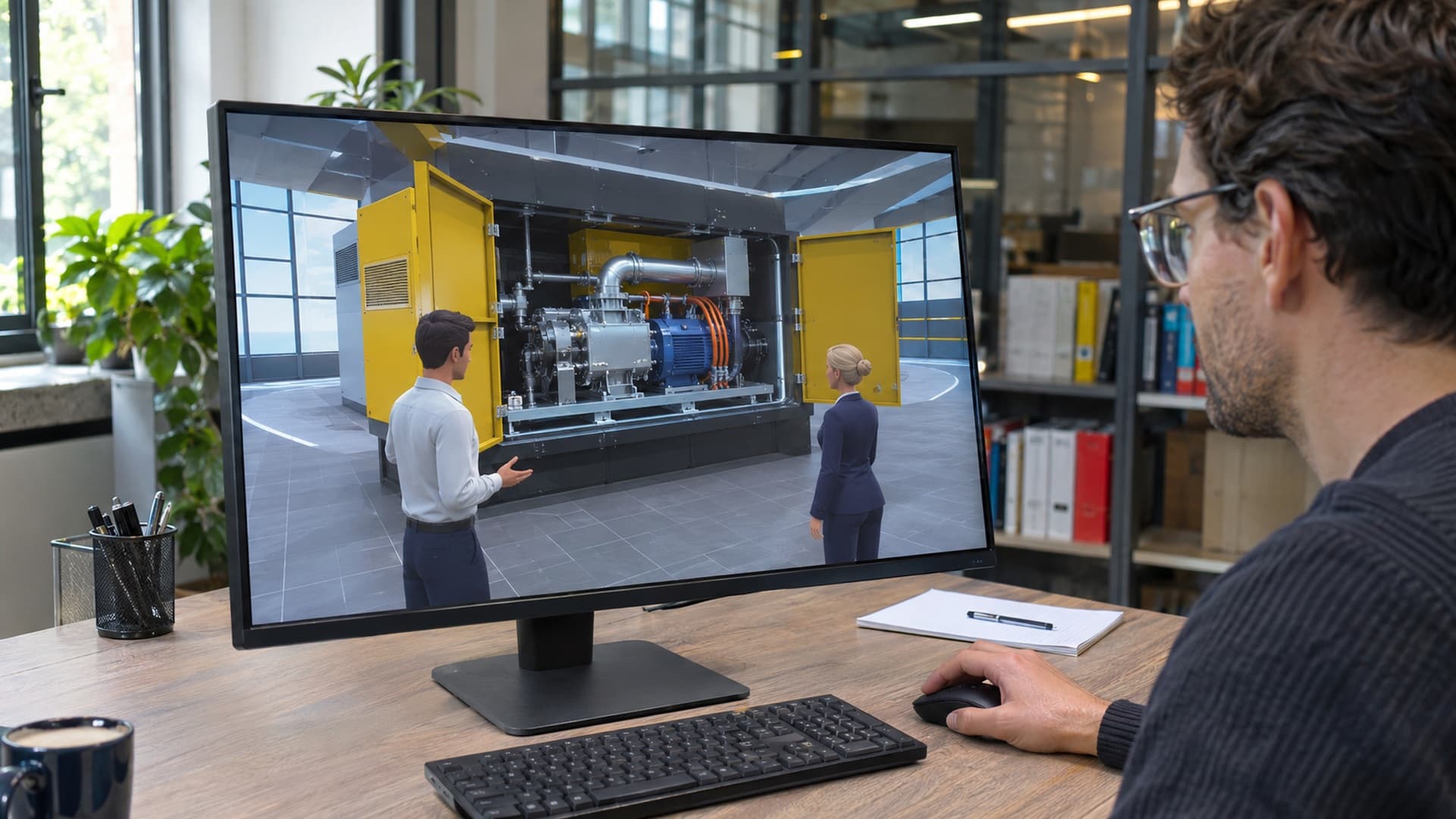
A virtual showroom can give customers a way to inspect a product when a physical demonstration is difficult. A manufacturer might present a machine at a manageable scale, allow selected components to be opened and bring a specialist into the same space to answer questions. A property team could use a navigable representation to discuss a planned layout. These examples are hypothetical and should be evaluated against the actual sales journey.
The value comes from the questions the experience helps answer. Can the customer understand how components fit together? Can different configurations be compared? Does the environment help a group discuss options? If the only action is viewing a static product from one angle, a conventional video or web page may be sufficient.
Three-dimensional assets need particular attention. Existing design files may contain more detail than an interactive application can efficiently display, while a marketing model may omit information needed for a technical discussion. Agree on the source material, the level of accuracy and an approval process. If customers can change colours or configurations, specify which combinations are valid and how the virtual representation relates to the real product.
A showroom can be self-guided, facilitated or both. A self-guided version needs obvious navigation and concise information. A facilitated version needs tools that help a representative direct attention without controlling every movement. In either case, provide a route to a useful next step, such as requesting more information or arranging a demonstration, without allowing promotional prompts to overwhelm the experience.
Conferences, exhibitions and professional events
Virtual events can use spatial organisation to create distinct places for presentations, exhibitions and informal meetings. A visitor might enter a reception area, attend a session and later join a small conversation. The environment can communicate the structure of the event and give participants a sense of moving between activities.
The design must account for the work of running the event. Hosts need to welcome people, moderate discussions, manage technical problems and help attendees find their way. Exhibitors need clear instructions for preparing content and staffing their areas. A visually attractive exhibition hall does not solve these operational needs on its own.
Capacity also matters. A platform may use separate instances when many participants attend, and audio or networking can become more demanding as interaction increases. Ask how many people can participate in the same room, how they are distributed, what happens if a connection drops and whether presentations can be accessed afterwards. Test with realistic numbers and devices before relying on the environment for a major event.
For South African audiences, device availability and data costs are practical considerations. A desktop or mobile entry route may reach people who do not own a headset, although each route needs testing. Offer clear joining instructions, a connection test and a conventional support channel. A hybrid event can retain physical participation while using a virtual space for a specific remote activity.
Collaboration around spatial information
Some business discussions benefit from a shared object rather than another slide. Teams might examine the arrangement of a proposed facility, review a digital product or discuss a complex spatial relationship. When each participant can point to or manipulate a shared model, the conversation may become more concrete.
This is not a substitute for every meeting. If the decision can be made from a document or a short call, the extra access and learning burden may outweigh the benefit. It is more promising when participants need to compare viewpoints, understand scale or examine parts of a model that are difficult to communicate in two dimensions.
A collaboration space needs more than a model. Participants need to know who is present, where their colleagues are looking and what action changed the shared scene. Permissions are important: one person may need to present while others view; a project lead may want to preserve a version before changes are made. Decide whether annotations persist, who can export information and whether the environment contains confidential material.
The underlying model must be fit for its intended purpose. A conceptual layout can support an early discussion, but it should not be mistaken for an approved construction document. State the status of the information and retain the established engineering or approval workflow for decisions that require it.

Training, onboarding and learning
A shared virtual environment can bring learners and facilitators into the same simulated setting. Participants might practise a conversation, explore an unfamiliar facility or work through a sequence together. A facilitator can observe choices, introduce a scenario and discuss the result with the group.
The strongest design begins with a learning objective. For example, if a team must recognise information before escalating a problem, the activity should present that information, allow a decision and provide a debrief. Simply walking around a virtual building does not demonstrate that learners can perform the task. A subject expert should review scenarios and feedback, particularly when the topic involves safety or regulated work.
Consider how people will participate at different levels of confidence. Some may be comfortable navigating immediately, while others need a short orientation. Allow time to learn controls before assessment begins. Provide a non-immersive or alternative route where appropriate, and make the facilitator's role explicit. The experience should complement the organisation's training programme and assessment requirements rather than imply an unverified outcome.
Identity, communication and trust
Avatars can help people distinguish participants in a shared space, but identity does not have to mean a highly realistic digital likeness. A simple representation and a clear name may be sufficient. The right approach depends on the activity, audience and privacy expectations. Businesses should avoid collecting sensitive personal information merely because the platform makes it possible.
Communication features also shape the experience. Spatial audio may help separate conversations in a busy virtual room, while a small workshop may need a straightforward group channel. Text chat, captions and moderation tools can support participation, but they require planning. Decide who can speak, how a person asks for help and how disruptive behaviour is handled.
Privacy extends beyond the account form. Depending on the application and device, systems may process voice, movement, interactions or other information. Map what is collected, why it is needed, who can access it and how long it is retained. Seek appropriate advice on South African data protection obligations, and check the policies of platform and hosting providers. A clear explanation to participants is part of building trust.
Digital assets and transactions
Not every virtual environment needs a digital economy. A business event can be valuable without virtual currency, and a training simulation can work without buying or selling assets. Introduce transactions only when they serve a clear user need and the organisation can support payment, consumer and security requirements.
Where digital assets are involved, clarify ownership and permissions. A company may commission a 3D model but need explicit rights to edit, reuse or move it. A platform may allow content to be displayed within its own environment without making every interactive feature portable elsewhere. Licensing, file access and the cost of future changes deserve attention before production starts.
Standards can help, but they have defined scopes. The glTF specification describes a format for transmitting 3D assets; adopting it does not automatically transfer accounts, behaviours or a complete virtual world between platforms. Ask for a practical export and re-import test if future portability is important.
Selecting a platform or commissioning a custom space
An existing platform may be suitable when its event, collaboration or access features already meet the requirement. It can reduce the amount of custom software needed, but may constrain visual identity, integrations, participant numbers or data handling. Review recurring fees, platform policies and what happens if the service changes or closes.
Custom development offers more control over the workflow and experience, but it also creates responsibilities for testing, hosting, maintenance and support. A hybrid approach can use an existing platform for core services while developing a specific interaction or environment. The best option depends on the importance of differentiation, the required integrations and the available budget.
Compare options through the full user journey. Can a participant open the experience with their available device? How long does entry take? Can they recover if the connection drops? Can the organisation update content without a developer? Ask suppliers to demonstrate the exact workflow, not only a polished showcase. Confirm what is included in accessibility testing, performance testing and post-launch support.
Measuring whether a virtual space works
Start with a small set of outcomes tied to the application. A showroom might measure whether customers can find and understand a relevant configuration, followed by the quality of enquiries. An event might evaluate attendance at sessions, successful introductions and participant feedback. A training environment might assess whether learners can perform a defined task and explain their decisions.
Interpret those measures carefully. Time spent in a space can reflect interest, confusion or a technical problem. A high number of registered users does not mean they could join successfully. Compare results with an appropriate baseline, such as the existing event format or sales demonstration, and include qualitative feedback from participants and staff.
A pilot should answer a decision, not merely produce a positive reaction. Agree beforehand which users will participate, what task they will attempt, what evidence will be collected and what would justify expanding, revising or stopping the project. Budget for the operational work of recruitment, facilitation and analysis as well as the virtual build.
Turning an idea into a business brief
A useful brief identifies the audience, the activity and the setting in which the experience will be used. Include the expected devices, number of simultaneous participants, content sources, access requirements and any integrations. Explain whether the space needs to remain available between events and whether users' actions must be saved. List privacy, accessibility and moderation needs early, because they affect design and cost.
Choose one meaningful interaction for an initial prototype. A product team could test collaborative model exploration; an event team could test moving between a presentation and a discussion. Observe real participants using it, then decide whether the experience provides enough value to justify a broader build.
Explore metaverse development or contact Realities to discuss a virtual environment built around a specific business outcome. The most useful starting point is a clear activity and a realistic plan for the people who will take part.